







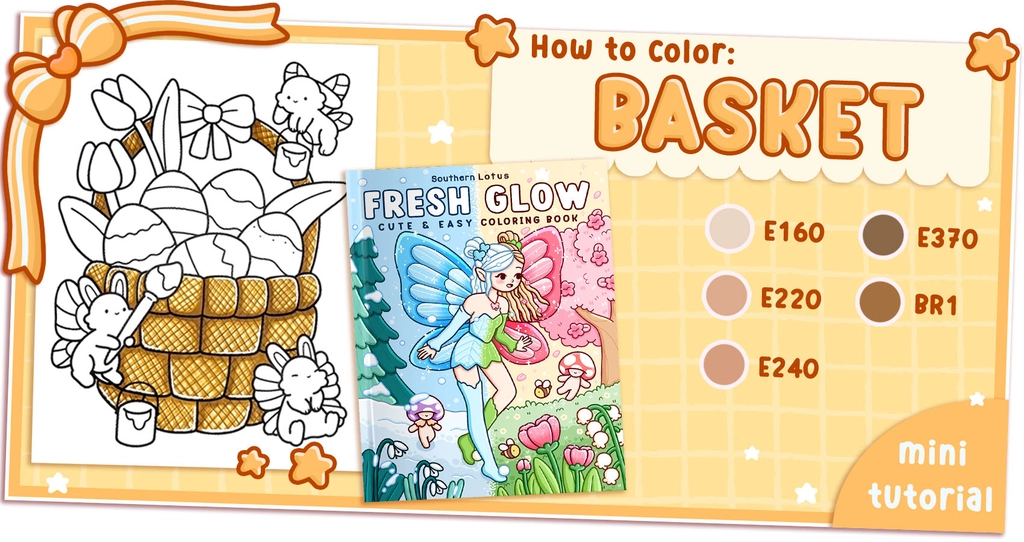
Nothing says cozy and charming like a beautifully woven picnic basket! The texture of woven materials adds depth and warmth to any coloring page, making it a fun and rewarding technique to master.
Today, we’ll be working on a basket illustration from the Fresh Glow,a Southern Lotus Coloring Book, featuring delicate hand-drawn designs of fairy-tale settings and warm, glowing moments. Follow this 6-step tutorial using Ohuhu markers to create a realistic 3D woven effect.
- Ohuhu Markers (E160, E220, E240, E370, BR1 fine-tip)
- White acrylic pen
- A coloring page featuring a woven basket (from Fresh Glow Coloring Book)
Step 1: Base Layer with E160
Start by covering the entire basket with E160, a warm earthy tone that serves as the foundation for the woven texture.
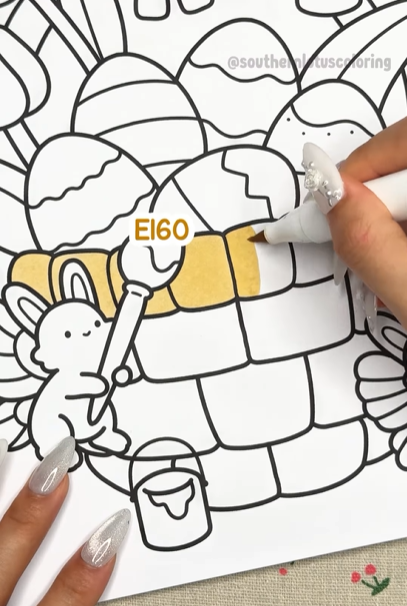
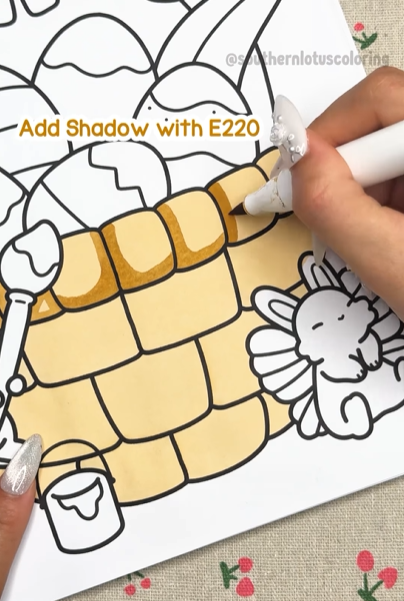
Step 2: Add Shadows with E220
Deepen the woven texture by adding shadows where the basket’s weave overlaps. This creates an illusion of depth and makes the pattern stand out.
Tip: Lightly flick your marker strokes in small curved lines to mimic natural basket fibers.
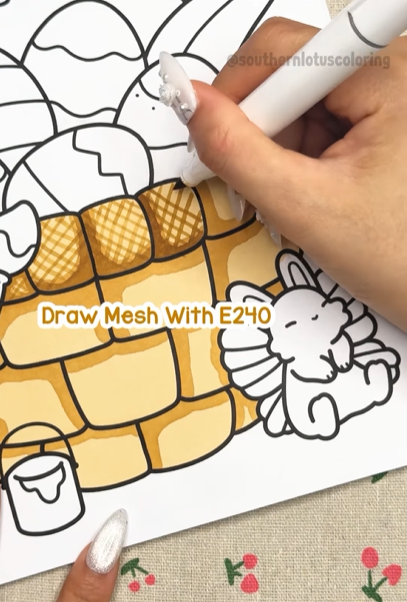
Step 3: Draw the Mesh with E240
Now, define the woven pattern by sketching thin diagonal lines with E240. This step gives the basket a structured, woven look.
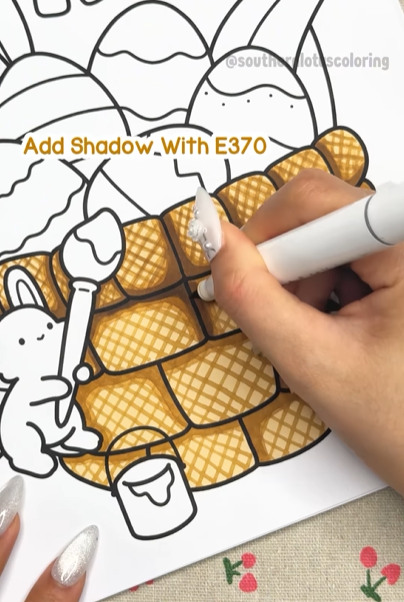
Step 4: Add an Extra Shadow with E370
Deepen the darker areas using E370 to enhance the three-dimensional effect. Focus on the edges of the basket and areas where the weave tucks under.
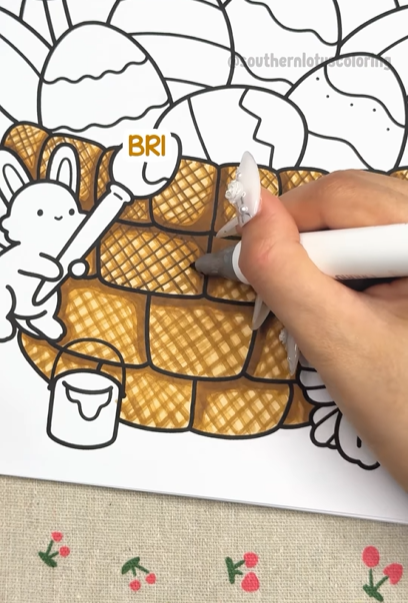
Step 5: Refine the Mesh with BR1 Fine-Tip
Use BR1 fine-tip to carefully outline parts of the woven texture, refining the mesh and making it pop.
Tip: Don’t outline everything! Just add selective details to keep the look soft yet structured.
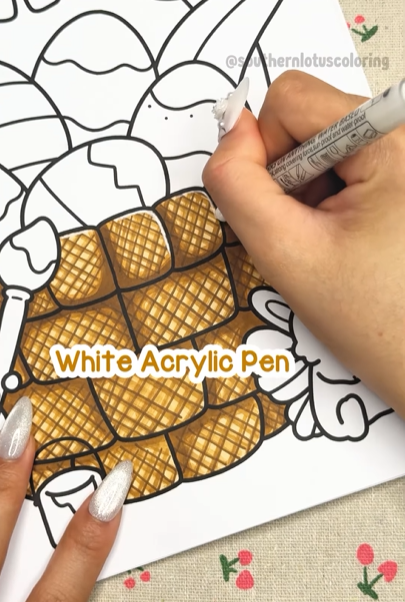
Step 6: Add Highlights with a White Acrylic Pen
Finally, use a white acrylic pen to add tiny highlights where light would hit the basket, giving it a realistic glow.
A Beautiful, Warm-Toned Basket is Done!
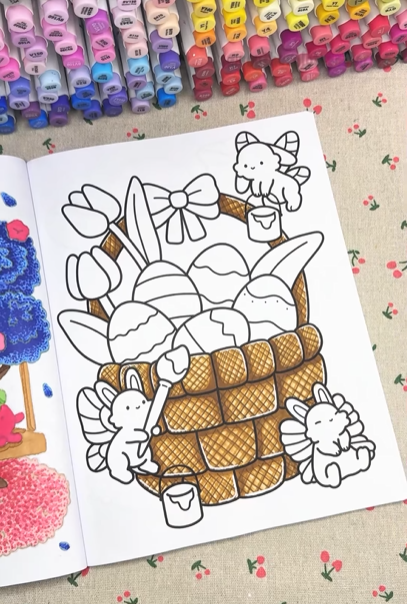
With layered colors, soft shadows, and a woven pattern, your basket now looks three-dimensional and naturally textured. This technique is perfect for baskets in picnic scenes, rustic kitchens, or cozy countryside settings.
For more detailed tutorial, you can check out our Instagram.