







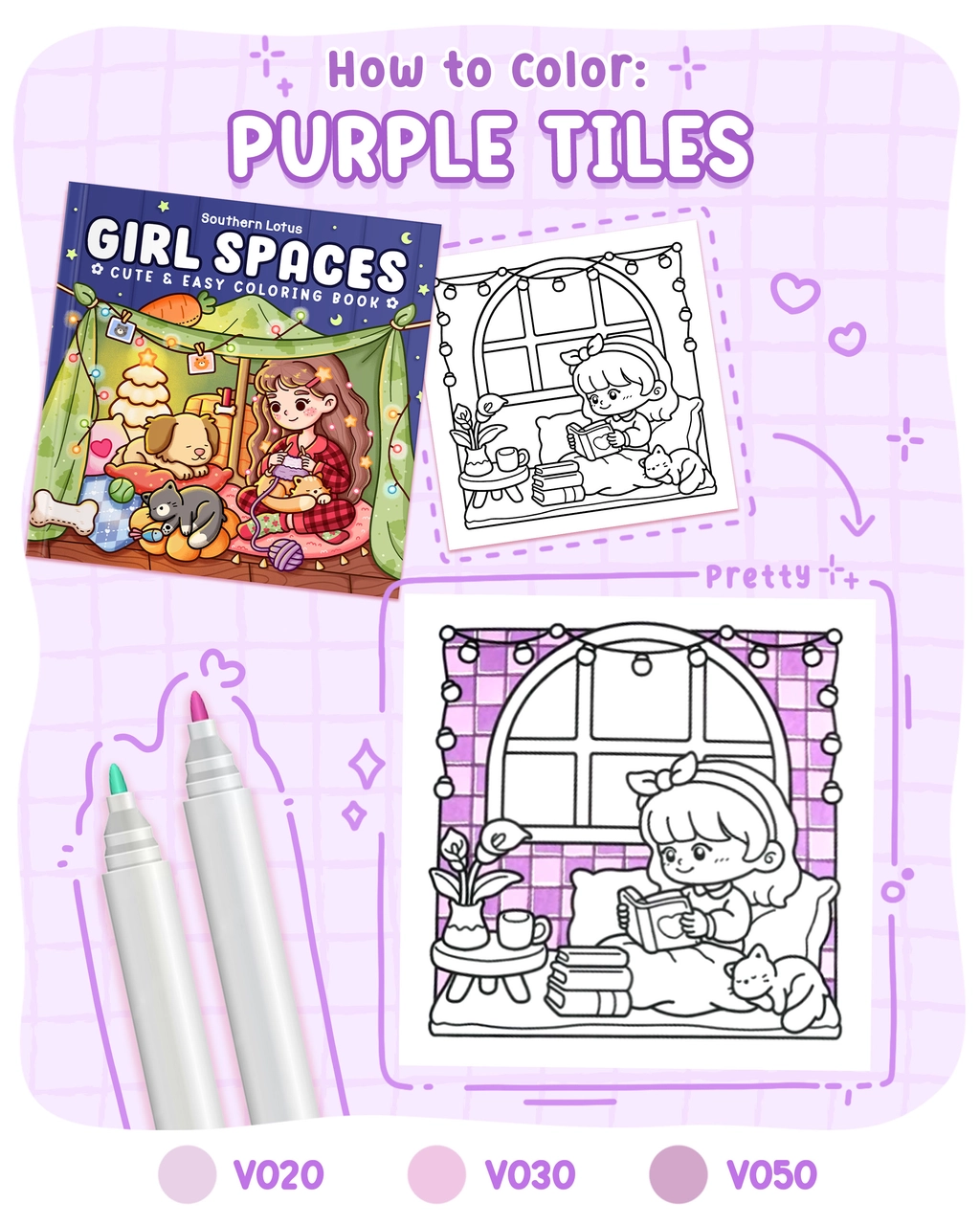
Tile patterns add a decorative touch to any artwork, and today, we’re bringing purple tiles to life in a cozy and aesthetic way!
This tutorial is inspired by the Girl Spaces coloring book by Southern Lotus Coloring a collection of cute and easy illustrations designed for relaxation. Let’s learn how to create a beautiful purple tile pattern using Ohuhu Markers!
- Ohuhu Markers (V020, V030, V050)
- White Gel Pen
- Pencil & Eraser
- A coloring page featuring an object you want to color with purple tiles patterns (from Girl Spaces Coloring Book)
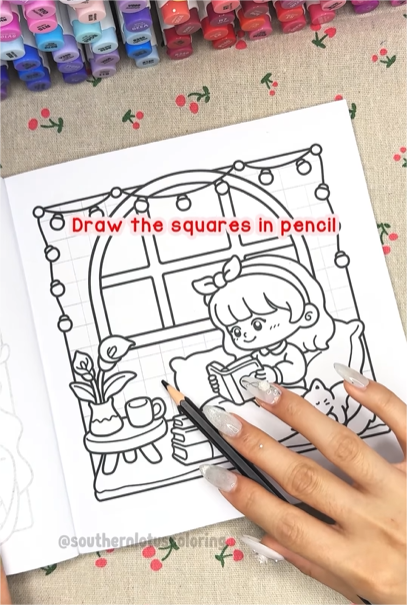
Step 1: Draw the Tiles with Pencil
Before adding color, lightly sketch squares with a pencil. This will help keep the tiles uniform and structured.
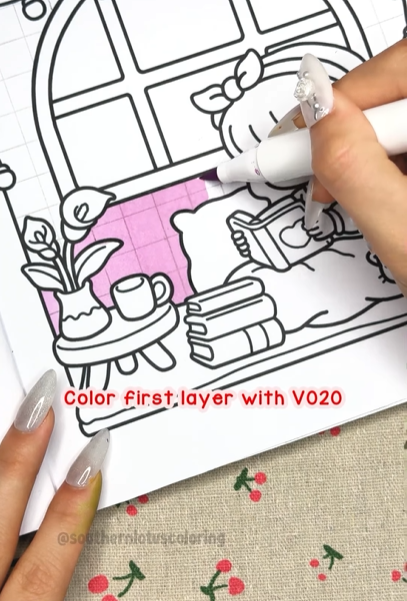
Step 2: Apply the Base Layer (V020)
Fill the entire tile area with V020 as the first layer. This soft violet tone creates a balanced background.
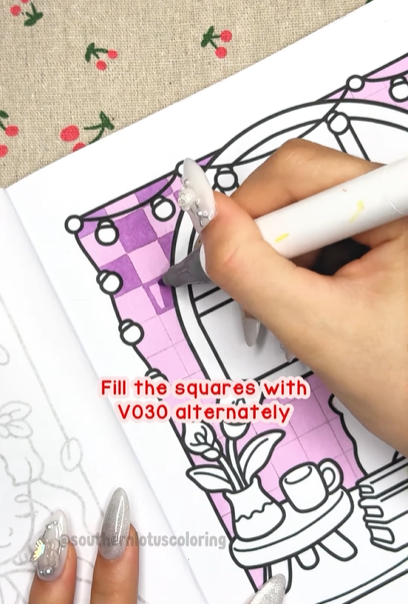
Step 3: Alternate Colors with V030
Using V030, color every other tile to create a checkerboard effect. This contrast gives your pattern more depth.
Step 4: Define the Borders (V050)
Use V050 to outline each tile, enhancing the structured look of the mosaic. This step makes the tiles pop!
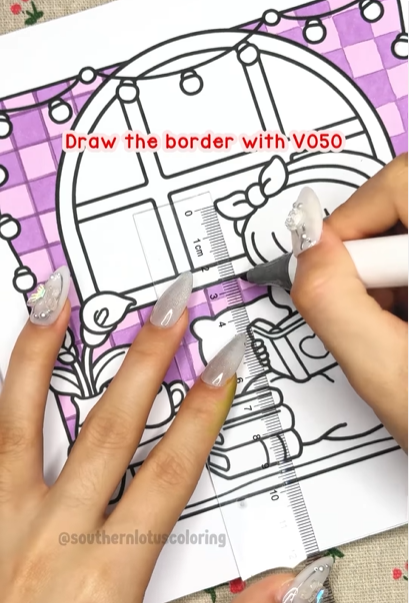
Step 5: Add Highlights with a White Gel Pen
To create a subtle shine, use a white gel pen to add tiny highlights along the tile edges. This makes them appear glossy and realistic.
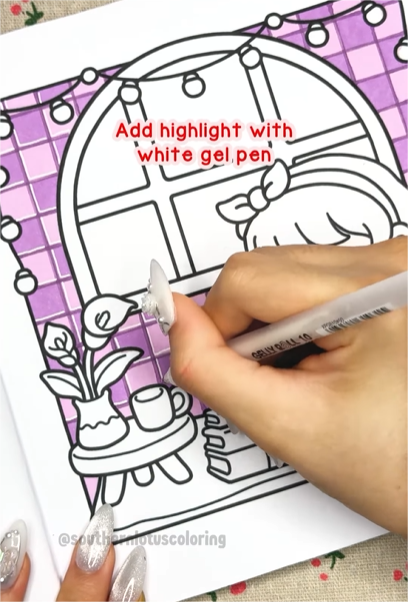
And there you have it—a beautiful, cozy purple tile pattern ready to decorate your coloring pages!
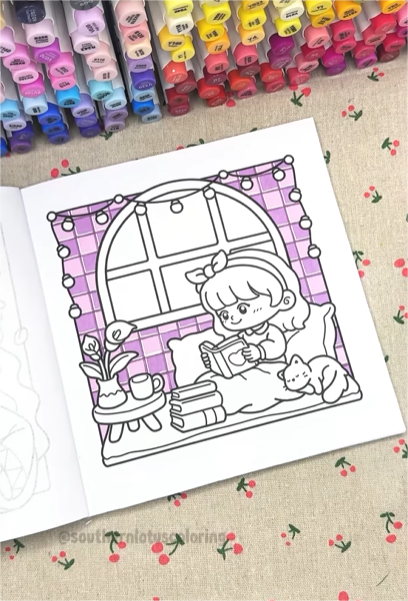
If you love decorative tile patterns and cozy coloring pages, check out Girl Space Coloring Book, available on Southern Lotus Coloring’s website and Amazon.
For more detailed tutorials, you can check out our Instagram.